> ## Documentation Index
> Fetch the complete documentation index at: https://docs.squadvault.xyz/llms.txt
> Use this file to discover all available pages before exploring further.
# Documents
> Upload playbooks and contracts, tag files, and link them from the calendar.
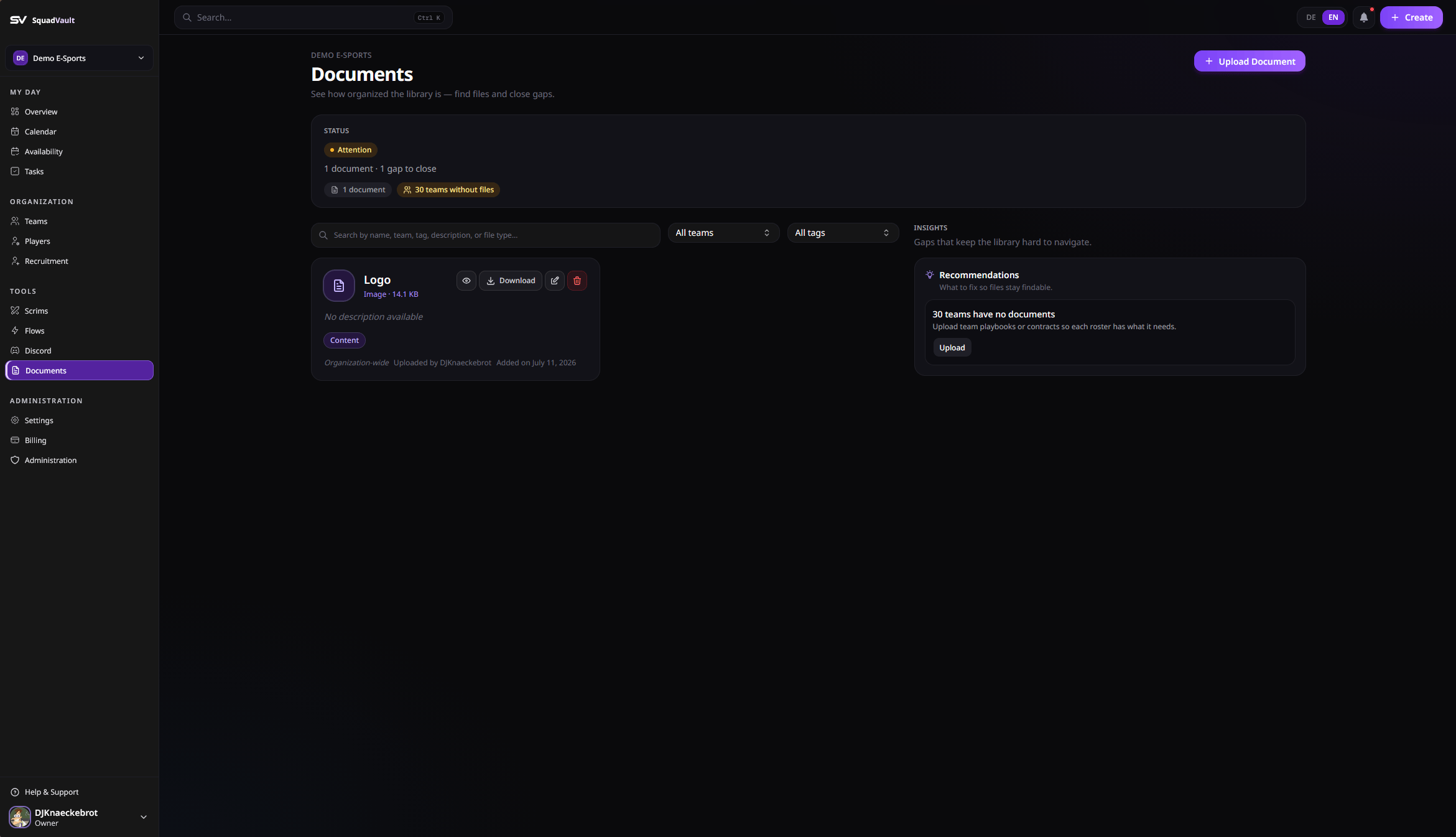
Documents store organization files such as playbooks, contracts, management notes, content, and legal materials.
The page starts with **library health** (counts, untagged files, teams without documents), then search/filter **work**, then **insights** for gaps.
 ## Upload a document
1. Open **Documents**.
2. Upload a file (PDF, Word, Excel, text, or common image types).
3. Add a name, optional description, tags, and optional team scope.
4. Save the document record.
Files are stored securely. Downloads use short-lived URLs.
## Organize with tags and teams
* Tags: playbook, contract, management, content, legal, other.
* Scope a document to a team when only that roster should use it, or leave it organization-wide.
## Use documents in workflows
* Link documents from calendar events when a scrim or meeting needs a playbook.
* Prefer clear names (`Playbook Q3`) so search stays useful.
* Update tags when a document’s purpose changes instead of uploading duplicates.
Documents are plan-gated. Upgrade under [Billing](/user-guide/billing) if uploads are locked.
## Programmatic uploads
Bots and scripts can upload through the Public API using a three-step flow (presign → upload → create). See [Upload a document](/api/upload-flow).
## Upload a document
1. Open **Documents**.
2. Upload a file (PDF, Word, Excel, text, or common image types).
3. Add a name, optional description, tags, and optional team scope.
4. Save the document record.
Files are stored securely. Downloads use short-lived URLs.
## Organize with tags and teams
* Tags: playbook, contract, management, content, legal, other.
* Scope a document to a team when only that roster should use it, or leave it organization-wide.
## Use documents in workflows
* Link documents from calendar events when a scrim or meeting needs a playbook.
* Prefer clear names (`Playbook Q3`) so search stays useful.
* Update tags when a document’s purpose changes instead of uploading duplicates.
Documents are plan-gated. Upgrade under [Billing](/user-guide/billing) if uploads are locked.
## Programmatic uploads
Bots and scripts can upload through the Public API using a three-step flow (presign → upload → create). See [Upload a document](/api/upload-flow).