

- How is the current state? (Status)
- What should I work on? (Work)
- What does SquadVault recommend next? (Insights)
User guide
Set up your account and organization, invite your team, and run the week.
Public API
Connect your own tools with organization API keys.
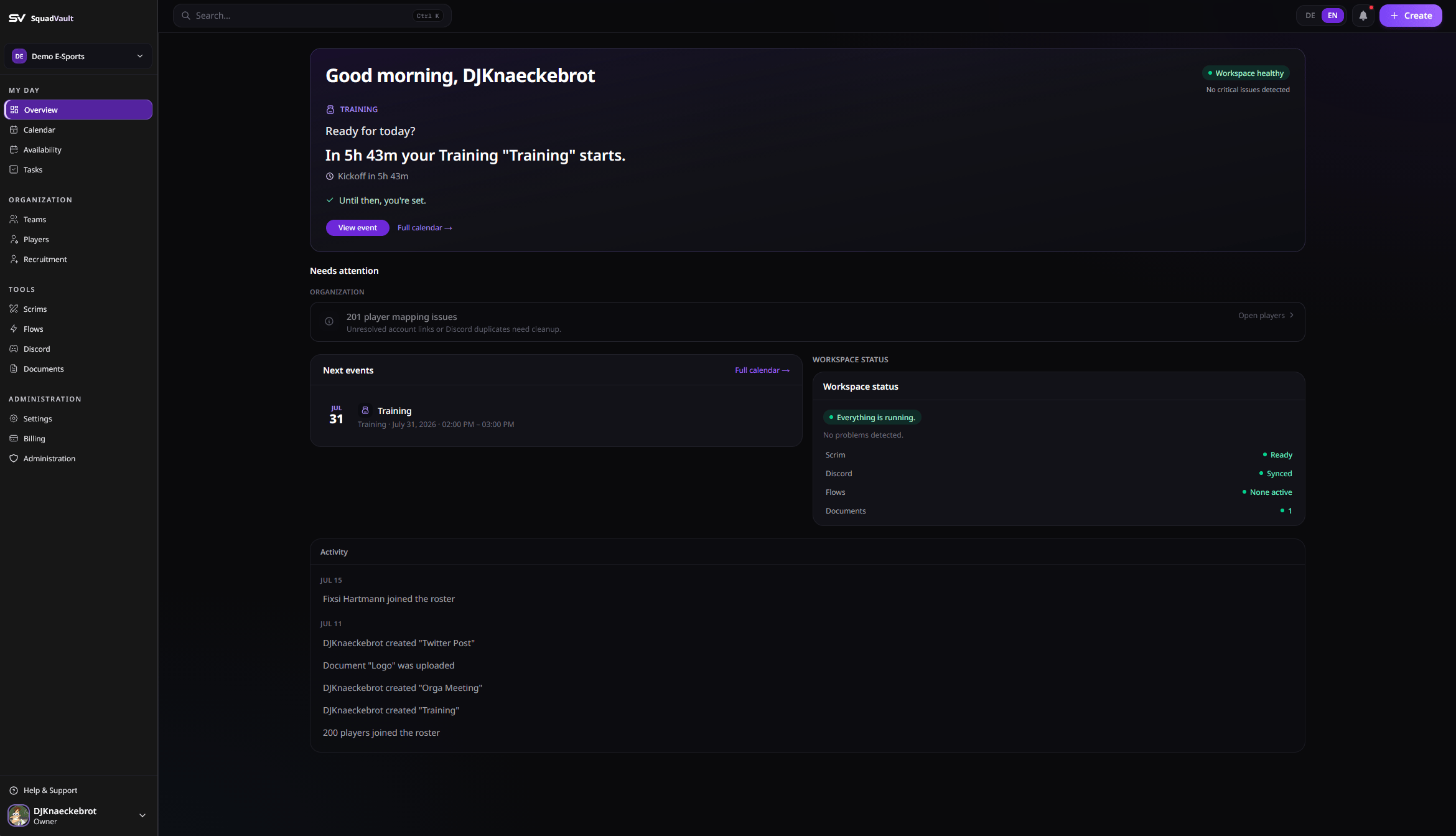
SquadVault dashboard
What you can do
- Keep teams, players, and gamer tags up to date
- Plan scrims and training on a shared calendar
- Run Mission Control for booked scrims (prep, lobby, results)
- Collect availability before you schedule
- Run tryouts from a public apply link
- Store playbooks and contracts in Documents
- Sync Discord roles with your roster
- Check integration health (Discord, tags, webhooks, API keys)
- Automate follow-ups with Flows
- Review who changed what in the Audit log (admins)
Get ready in three steps
1
Set up your account and organization
Sign up, confirm your profile, and create your organization (name, URL slug, and logo). See Getting started.
2
Import the roster from Discord
Link the server, confirm player and team roles, import. Two clicks after Discord is connected — you’re onboarded. See Getting started.
3
Plan the week
Invite staff, turn on a Flow template, then use Calendar and Availability. See Teams and players.
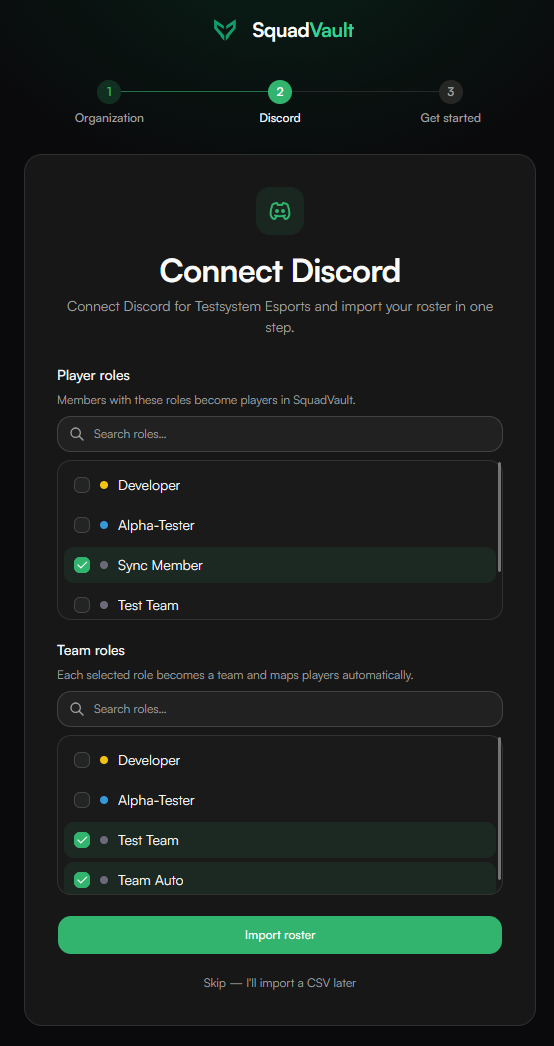
Two clicks: confirm roles, import roster — you’re onboarded.